

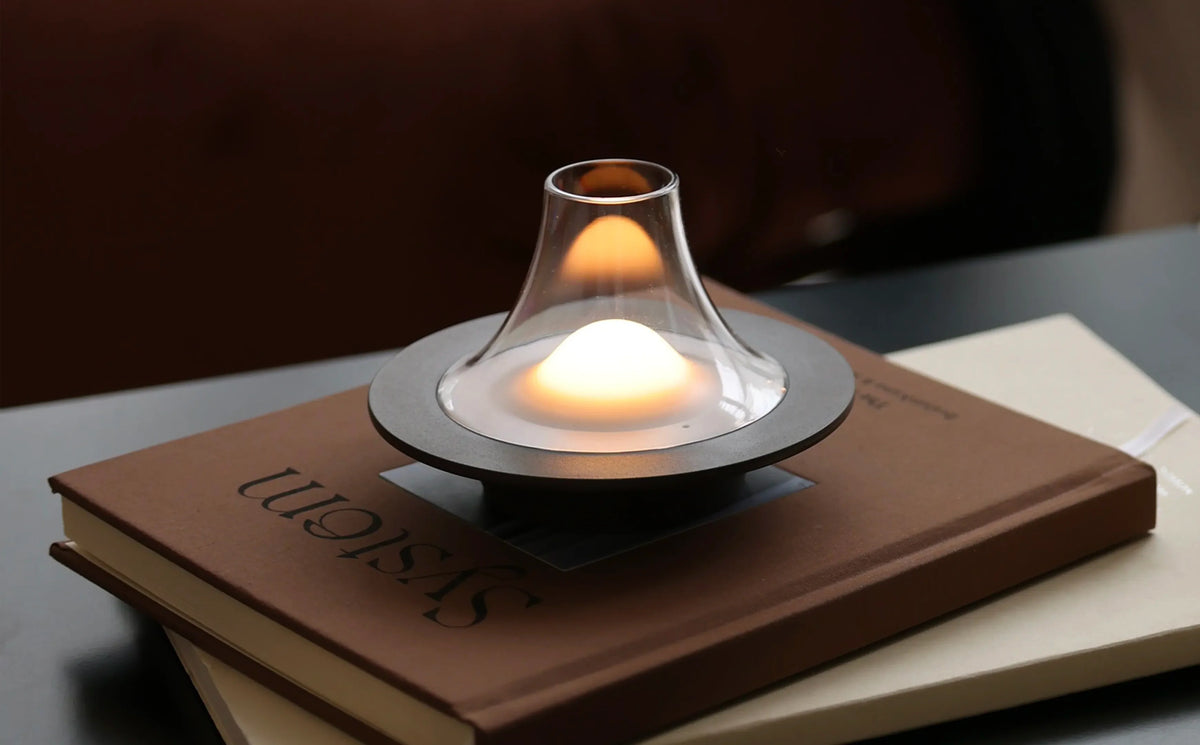
Good lighting is not simply about making a room brighter. Light should help you read comfortably, work clearly, and enjoy a meal without creating distracting reflections, harsh shadows, or brightness directly in your eyes.
That is where thoughtful lamp design and placement make a difference. With diffused light, adjustable settings, and cordless flexibility, Owlpack lamps can be positioned according to the activity instead of being limited by the nearest outlet.
What Causes Glare?
Glare occurs when a light source or reflection is considerably brighter than its surroundings. It commonly appears in three forms:
- Direct glare: You can see the exposed bulb or LED from where you are sitting.
- Reflected glare: Light bounces off a screen, glossy page, glass table, or polished surface.
- High contrast: A page, desk, or table is brightly illuminated while the rest of the room remains dark.
Reducing glare does not always mean using less light. Often, the solution is to diffuse it, reposition it, or select a more appropriate brightness level.
Reading: Create Focused Light Without Harshness
Reading requires enough illumination to see the page clearly, but the light should never shine directly into your eyes.
Place the lamp slightly beside or behind your shoulder so the light reaches the page at an angle. If you are writing or taking notes, position the lamp on the opposite side of your dominant hand to prevent shadows.
For example:
- Right-handed readers can place the lamp on their left.
- Left-handed readers can place the lamp on their right.
- If a glossy page reflects the light, move the lamp slightly to the side.
Best Owlpack Option: Moovit
Moovit is especially helpful for reading because its LED is concealed inside a matte diffuser. Instead of exposing a concentrated point of light, the diffuser produces a softer, more even glow with fewer harsh shadows.
Its three brightness levels allow you to increase the light when reading smaller text and lower it when relaxing. The warm 3000K light also feels comfortable in bedrooms, reading corners, or living rooms.
Because Moovit is cordless, it can be moved closer to the book without rearranging furniture or stretching a cable across the room.
Avoid Reading in Complete Darkness
Even with a comfortable reading lamp, a brightly illuminated page surrounded by total darkness can create excessive contrast.
Add a second, lower light elsewhere in the room to soften the transition between the page and its surroundings. A small Owlpack lamp on a shelf or side table can provide this background layer without overpowering the main reading light.
Working: Keep Reflections Away from the Screen
For computer work, the lamp must illuminate the desk without reflecting on the monitor.
Position the screen perpendicular to windows whenever possible. Then place the lamp so its light reaches notebooks, documents, or the keyboard rather than the screen itself.
A quick way to test the arrangement is to turn the screen dark. If you can see the lamp or window reflected on it, adjust the lamp’s position or change the monitor angle.
Best Owlpack Option: Merlot
Merlot works particularly well in flexible workspaces because it offers adjustable brightness and three color-temperature options:
- 3000K warm yellow: For calm evening work
- 4000K natural white: For reading and everyday desk tasks
- 5000K cool white: For moments that require greater visual clarity
Its mouth-blown opal glass shade softly diffuses the light, helping reduce the intensity of a directly visible LED.
Use a brighter or more neutral setting during focused work, then switch to a warmer setting when transitioning out of the workday. This allows the same lamp to support productivity and relaxation without changing the room’s setup.
Balance the Screen and the Room
A screen should not be the only bright object in a dark space. Use a low ambient light behind or beside the workstation to reduce contrast.
You can also reduce reflections by:
- Choosing matte desk accessories
- Avoiding highly polished work surfaces
- Cleaning dust and fingerprints from the screen
- Aiming task lighting away from the monitor
- Adjusting screen brightness to match the room
A portable Owlpack lamp makes it easier to respond to changing daylight throughout the day. Instead of accepting a fixed position, move the lamp whenever reflections begin to appear.
Dining: Illuminate the Table Without Interrupting Conversation
Dining light should make food and table settings easy to see while keeping faces comfortable and sightlines open.
Before guests arrive, sit in each chair and look across the table. If the light source is directly visible, reflected in the tabletop, or blocking someone’s view, move it or lower the brightness.
Best Owlpack Option: Puff
Puff creates a warm, candle-like glow at 2200K without an open flame. Its three brightness levels make it easy to adjust the atmosphere for a quiet dinner, gathering, or late-evening drink.
Its compact cordless design means it can be placed on the table, buffet, beverage station, or nearby shelf without introducing visible cables.
Puff’s blow-activated feature also recreates the familiar interaction of candlelight: one breath makes the light flicker, and another turns it off.
Because Puff is designed for gentle ambient light, it works best as part of a layered dining setup rather than as the room’s only source of illumination.
Use Several Soft Lights Instead of One Harsh Light
One powerful overhead fixture can create strong shadows on faces and plates. A more comfortable solution is to distribute lower-intensity light around the room.
Try placing lamps on:
- The ends of a long dining table
- A buffet or sideboard
- A beverage station
- Nearby shelves
- A console behind the dining area
- A covered patio table
Moovit can provide brighter, diffused table lighting, while Puff can add smaller pools of candle-like warmth around the room.
For a dining room that also functions as a workspace, Merlot can transition from clearer task lighting during the day to warmer illumination in the evening.
Match the Lamp to the Activity
| Activity | Recommended lamp | Why it works |
|---|---|---|
| Reading | Moovit | Concealed LED, matte diffuser, warm 3000K light and three brightness levels |
| Desk work | Merlot | Three color temperatures and adjustable brightness for different tasks |
| Dining | Puff | Low 2200K candle-like glow, compact design and three brightness settings |
| Multipurpose spaces | Merlot | Changes from clearer working light to warmer evening light |
| Ambient background light | Puff | Softens contrast without overpowering the primary light source |
| Portable task lighting | Moovit | Cordless design allows precise placement near the activity |
The Two-Minute Owlpack Glare Test
After positioning your lamp:
- Sit where you will normally read, work, or dine.
- Check whether the LED or brightest part of the lamp is directly visible.
- Look for reflections on screens, pages, glass, or polished surfaces.
- Move the lamp slightly to the side if you notice a bright reflection.
- Lower the brightness by one level.
- Add soft background light if the surrounding room feels too dark.
- Test the arrangement from every seat or working position.
Better Light Starts with Better Control
Preventing glare does not require complicated installation or excessive brightness. The most important elements are diffusion, placement, balance, and control.
Moovit provides soft, concealed light for reading and portable tasks. Merlot adapts to work and evening routines through adjustable brightness and color temperature. Puff creates a gentle, candle-like atmosphere for dining and relaxation.
Because every Owlpack lamp is cordless and rechargeable, the light can move with the activity. Instead of arranging your life around outlets and fixed fixtures, you can place comfortable light exactly where it is needed.
Share:
A Low-Waste Halloween: What to Compost, Reuse, Recycle, or Throw Away